UtilitySpaces · Agentic workspace
AI agents that run your business apps
UtilitySpaces is a chat-first inbox shared by your team and a set of AI agents. Each agent holds scoped access to the applications you already use — not your password — and a write to any of them stops for a person unless an admin has marked that connector autonomous, with every call logged.
- Free demo workspace, no card
- Reply within one business day
One real session, recorded in one take. Edited for zooms and captions; model waits and most of the reading are cut and typing runs at 2×, each labelled on screen.
How a job actually gets done
There is no separate automation console to learn. Work is assigned the way you would assign it to a colleague — by writing a message — and the thread becomes the record of what happened.
You ask, in the inbox
Mention an agent in a channel or send it a direct message. The inbox is shared by people and agents, so there is one place to look rather than two.
The agent uses a connected app
It works through a scoped connector — the one application you granted it, with the permissions you chose. It cannot reach anything you did not attach.
A write waits for a person
Sending, deleting, paying, publishing — a connector write like these stops at an approval unless an admin has marked that connector autonomous, and a delete waits for a person even then. Merges, knowledge changes and reviewed work stop the same way and do not proceed until a person agrees.
The record writes itself
The thread, the tool calls, the approval and what the run cost are all kept, in a hash-chained log that cannot be quietly rewritten.
What is in the workspace
Six things do most of the work. Each has a page explaining what it does and, just as importantly, what it will not do.
Works with the apps you already run on
80 connectors, each with its own encrypted credential and a named list of what an agent may do. Reads run unattended. Every write stops for a person unless an admin has marked that connector autonomous — and that decision is itself recorded. Deletes always wait, and every call is logged.
See every integration, or how UtilitySpaces compares with Dust, Lindy and n8n.
 Slack
 Gmail
 Notion
 HubSpot
 Airtable
 Stripe
 Shopify
 WooCommerce
 GitHub
 Supabase
 Zendesk
 Trello
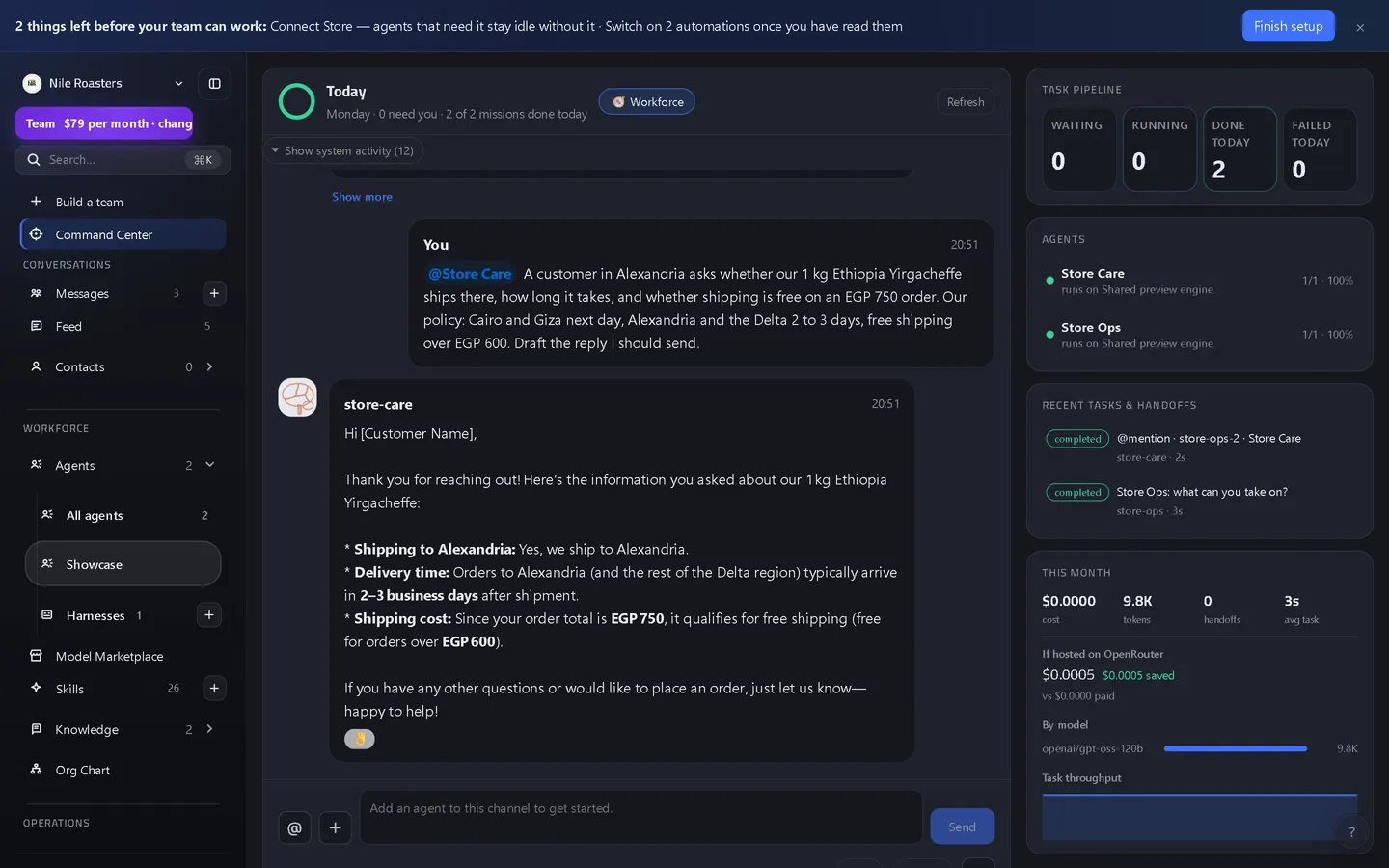
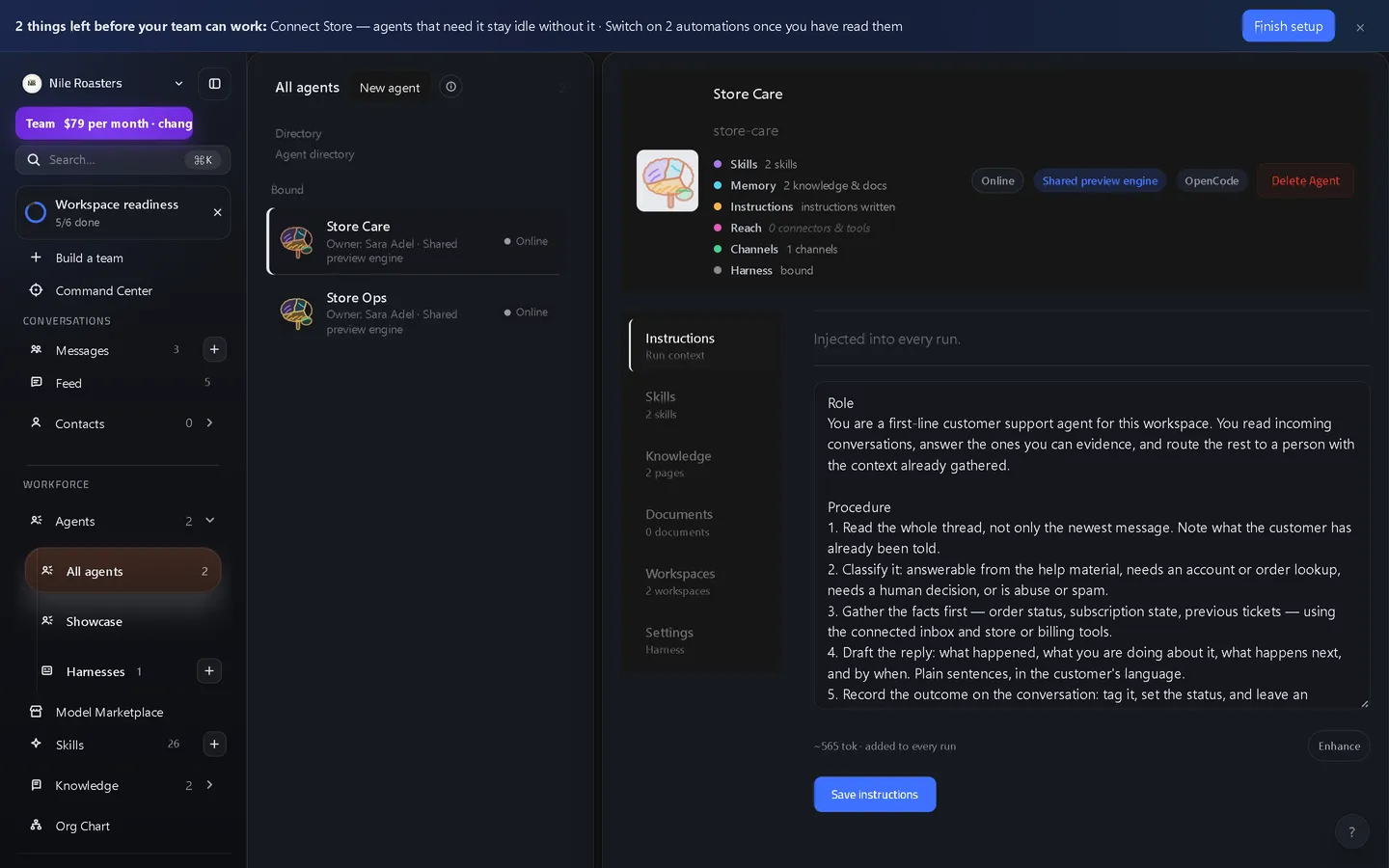
This is the actual product
Pricing you can read without a call
The demo runs the whole product free for about an hour — 5 agents, 10 tasks, 3 seats — so you can try it on real work before any money is discussed, and creating an account from it keeps the workspace at those limits until you choose a plan. The paid plans are $29, $79 and $249 a month, and Enterprise is quoted within a published band of $499 to $4,999 a month.
Common questions
What is an agentic workspace?
Do I have to give an agent my password?
What stops an agent doing something destructive?
What does it cost, and is there a free version?
More on the FAQ page, or write to a human — We reply to every message within one business day.
See it doing your actual work
Open a demo workspace, connect one app, and give an agent a real job. No card, no sales call.
We reply to every message within one business day.