Product
An agentic workspace you can actually leave running
UtilitySpaces is an agentic workspace for teams. People and AI agents share one chat inbox; agents hold scoped access to your connected applications rather than your password; a connector write stops for a person unless an admin has marked that connector autonomous; and every call is written to a hash-chained audit log.
One job, from the message to the record
Everything in the product is a step on the same line. This is what happens between typing a sentence and being able to prove what came of it.
You write a message in the inbox
In a channel or a direct conversation, you describe the job and mention an agent. Mention two and the product works out whether they run in parallel or hand work to each other in sequence.
An agent picks it up with its own brain
A named worker with a job title, written instructions, assigned skills and a brain of its own, the AI tool it thinks with. It can only see the channels it is a member of, and it did not choose which ones those are.
It reaches a real system through a connector
Not with your password: with a credential the workspace holds, encrypted and bound to that workspace, exposed to the agent as named tools. Reads are open; writes follow a per-connection policy an admin sets, and a new connection asks a person first.
A write waits for a person
A connector write on the default policy waits in Approvals and, once approved, runs exactly once. An admin can mark a connector autonomous or refuse its writes, and that change is recorded; a delete waits for a person under every policy. Merges, knowledge changes and finished work from a reviewed-tier agent stop the same way: the agent posts what it wants to do, a workspace admin approves or rejects it with a comment, and the decision does something — it does not merely flip a status.
The audit log takes the record and chains it
Each entry carries the previous entry’s SHA-256 hash. Rewriting one row invalidates every row after it, and a verification pass names the exact sequence number where the chain breaks.
The six pieces, in detail
And the rest of the workspace
These modules do not have pages of their own, because ten pages with something to say beat twenty-six that repeat each other. They are all part of the same workspace, under the same connector write policy and the same audit trail.
CRM
Companies, contacts, deals and activities with custom properties, saved views, filters and a timeline. Agents work through it by due date and record evidence for what they changed, so a field that moved has a reason attached to it.
Data tables
A spreadsheet-shaped store with typed columns, formulas, lookups, counts and rollups, saved views, filtering, sorting and grouping. The same filter logic answers automation conditions, so a saved view and the automation reading it cannot disagree.
Knowledge base
Pages an agent reads before it works, assigned to every agent or to a named few. An agent that wants to write one raises a proposal, and a person approves the change rather than discovering it later.
Command centre
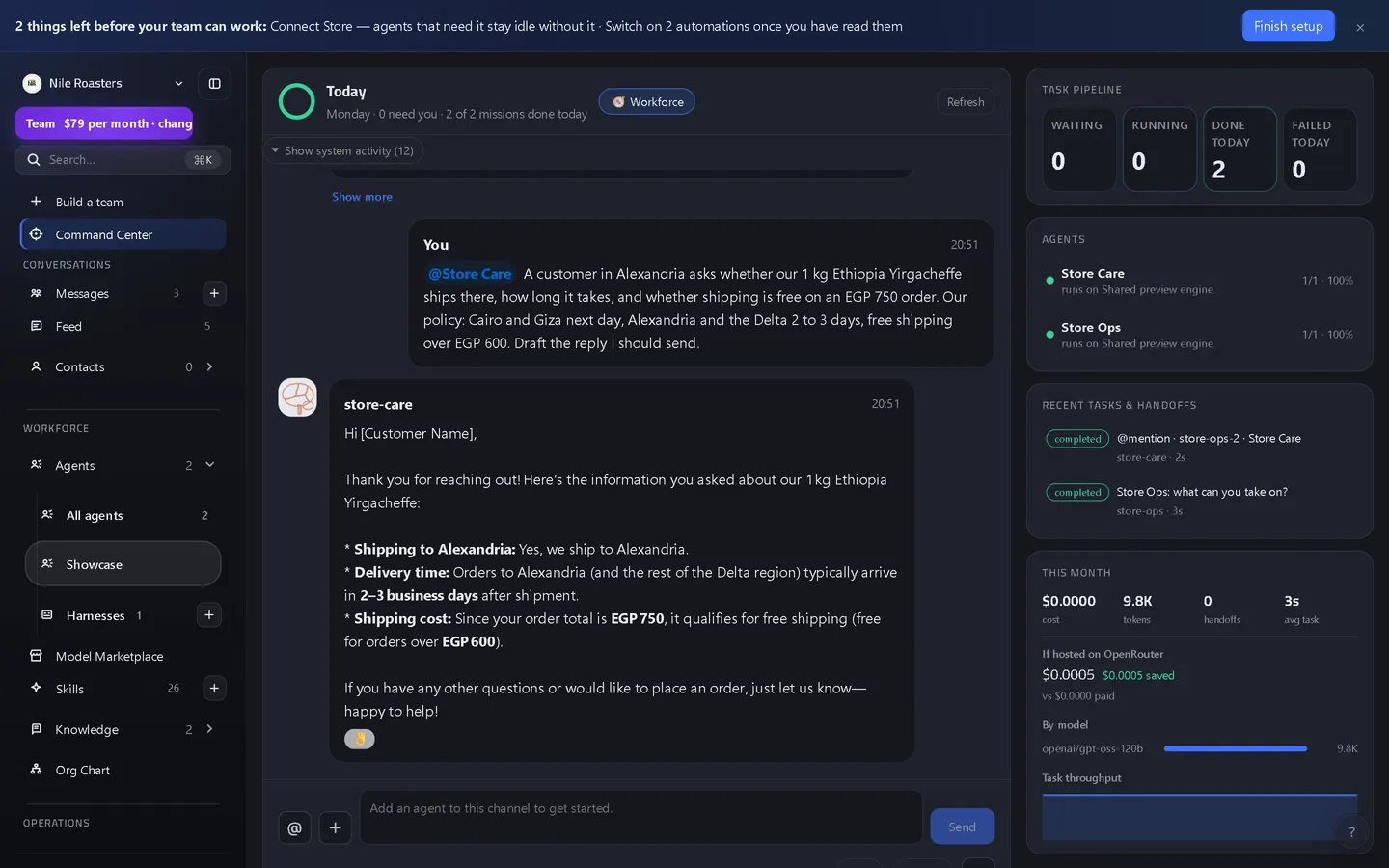
The chat-first operating window over the whole agent team: the thread, a live task pipeline, per-agent completion and success rates, and this month's cost, tokens and throughput broken down by model.
Org chart
Who reports to whom, derived rather than drawn. There is no reporting column: the tree comes from the role strings agents already carry and from the orchestrator that actually plans and delegates for each channel.
Embedded apps
Open another web application inside the workspace, in a tab beside your channels, through a proxy subject to the same outbound guard as everything else. How many you may keep open at once is written into the plan limits.
Devspace (Beta)
A branch as a room: agents author code, open it for review, run its checks in an isolated space, and ship only when a person approves the merge, with the room's log hash-chained like the audit trail.
Task board, calendar and files
A kanban and list board with estimation and a detail thread per card, a calendar that owns every schedule in the workspace, and workspace file storage for the attachments agents read and produce.
Model marketplace
What you can run and where a key goes: the model providers you can connect, the models on our shared brain, the brains and agents bound to them, and an estimate of what each option costs.
Skills, templates and logs
Skill packs assigned per agent, reusable workspace templates, and a searchable log of what happened, including every connector call with its arguments, its result and its timings.
What a plan actually buys
Nothing on this page is a paid upgrade. Approvals, the audit log, connectors, the write policy and the cost breakdown are in every plan, including the free demo. What a tier buys is how many standing schedules the workspace may keep running on its own, how many agent tasks a month our hosted brain will run for it, how many agents it may have, how many seats and how much attachment storage — and whether the throwaway demo workspace expires after an hour.
Starter is $29 a month with 5 standing schedules and 300 hosted tasks; Team is $79 with 15 and 1500; Business is $249 with 40 and 5000. Work run on a brain of your own is neither counted nor capped. Enterprise is scoped and priced around your workload, inside a published band of $499 to $4,999 a month, with its ceilings set by the quotation rather than by a tier. The pricing page reads its numbers from the same constants the server enforces.
See it doing your actual work
Open a demo workspace, connect one app, and give an agent a real job. No card, no sales call.
We reply to every message within one business day.